Version 1.0 | Requires Unity 2022.2 or later | Editor-only
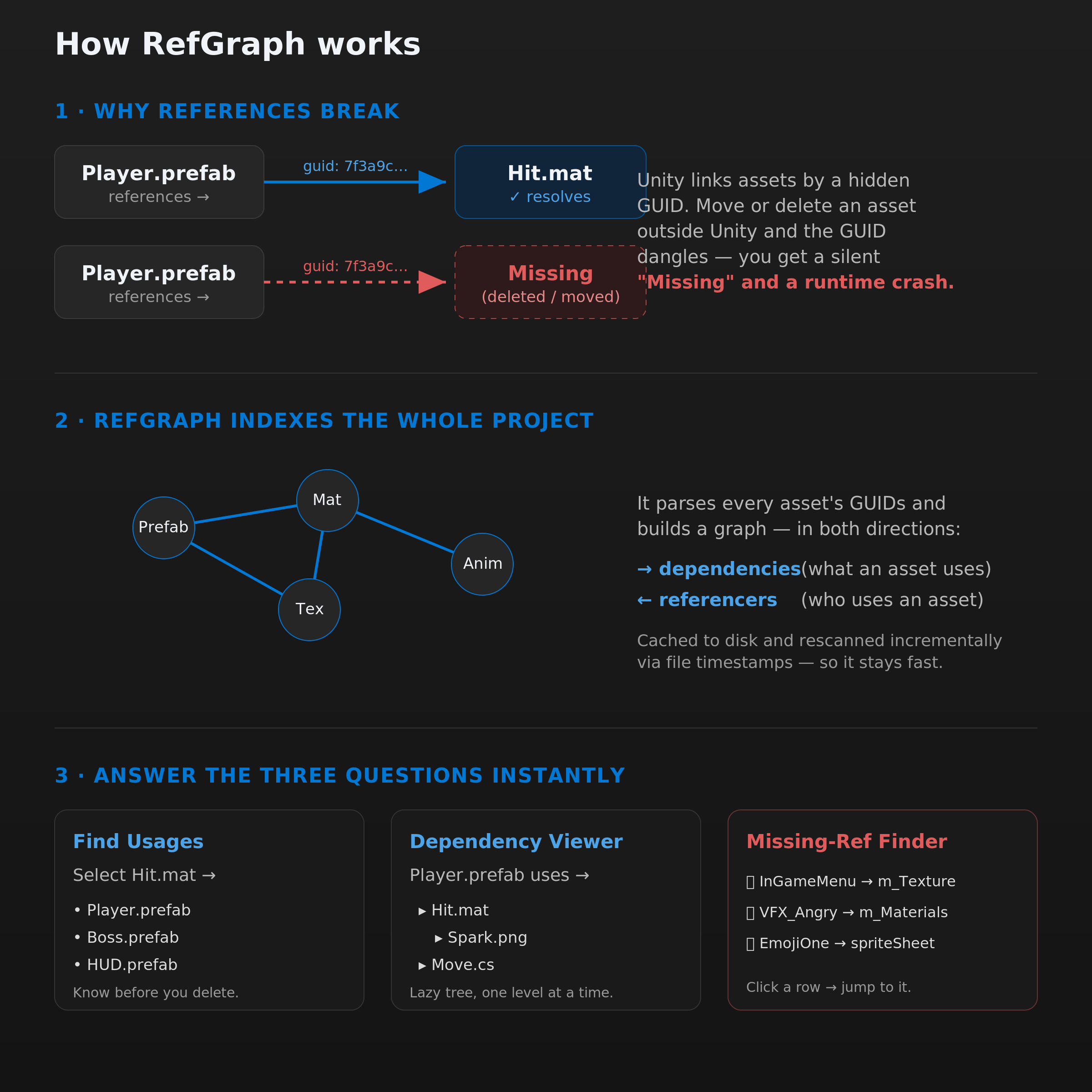
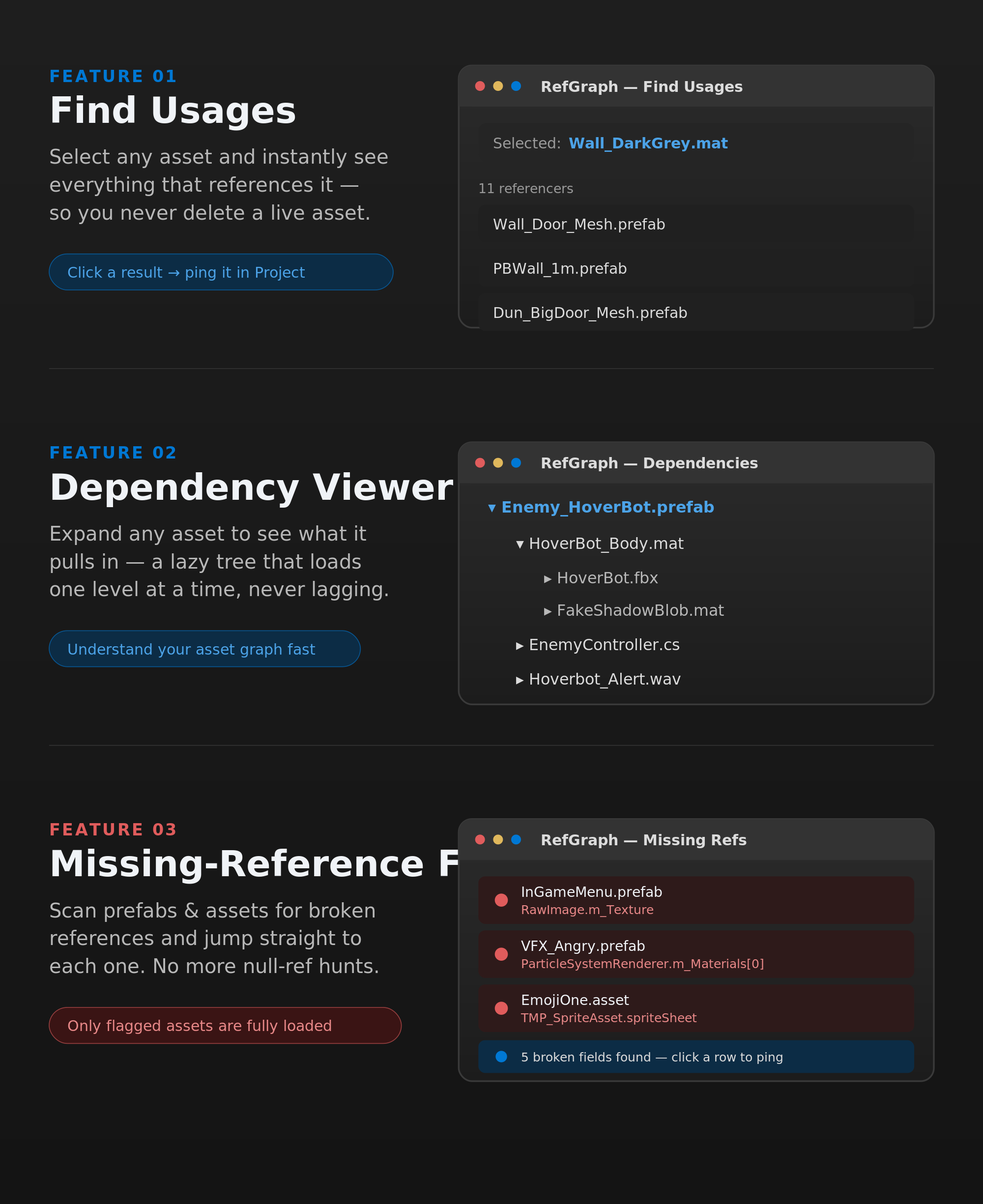
RefGraph is an Editor window that answers three questions about your project's assets:
RefGraph is read-only. It never modifies your assets. All scanning is on-demand — nothing runs in the background or on every repaint.
RefGraph.unitypackage into your project via Assets → Import Package → Custom Package.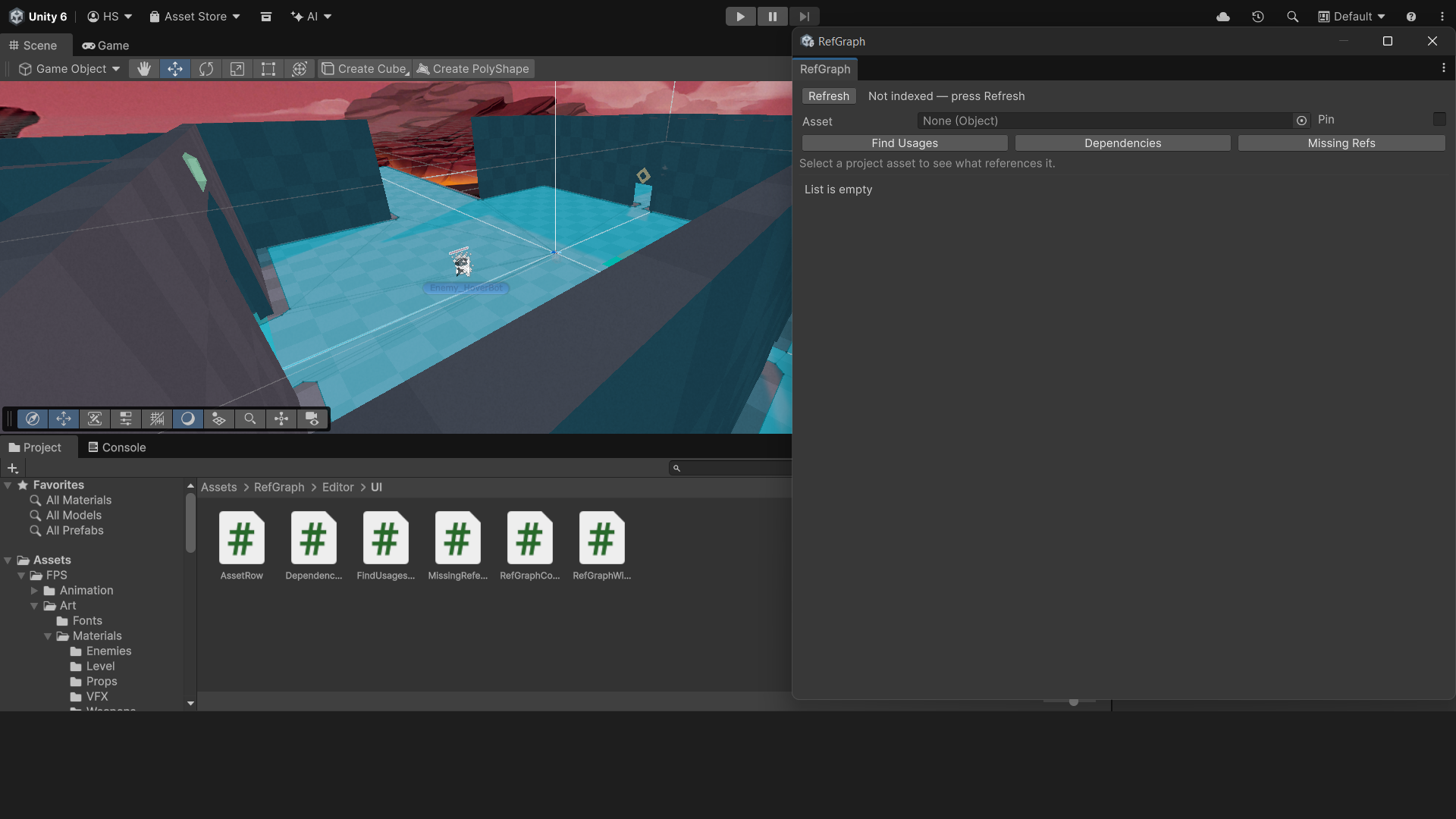
The window has three zones:
| Zone | Purpose |
|---|---|
| Toolbar (top) | Refresh button + index status label. |
| Asset row (middle) | Object field showing the currently inspected asset and a Pin toggle. |
| Tab strip (below) | Switch between Find Usages, Dependencies, and Missing Refs. |
Before Find Usages and Dependencies can show results, you need to build the dependency index. Click Refresh. RefGraph scans every prefab, material, animation, and asset file in your project and caches the result. The status label shows the asset count when done.
You only need to Refresh again when you add, delete, or move assets. The cache is saved to disk
(Library/RefGraph.index) and survives Editor restarts — unchanged assets are not
re-read on the next Refresh.
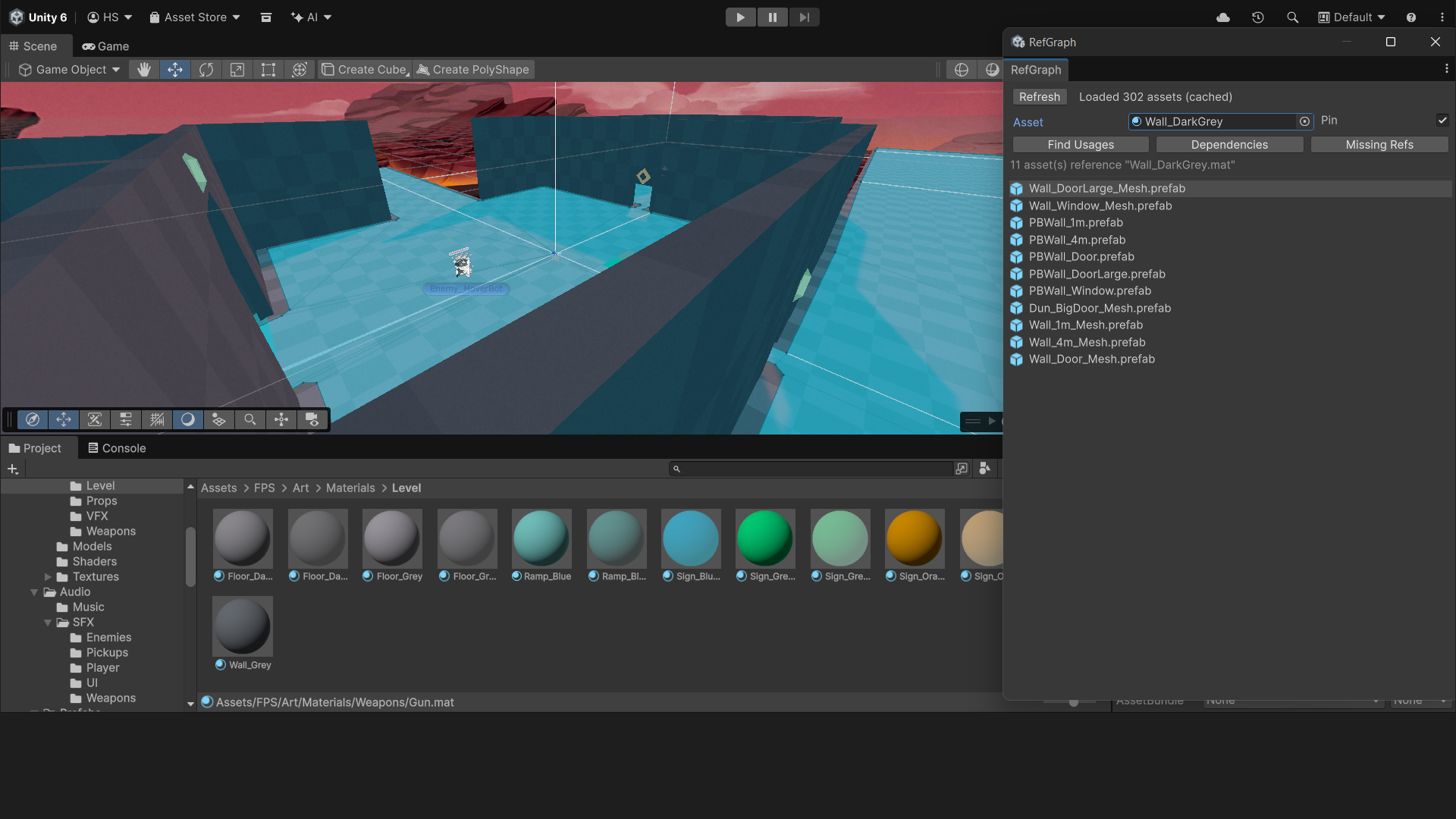
Shows every indexed asset that holds a reference to the selected asset. Useful for:
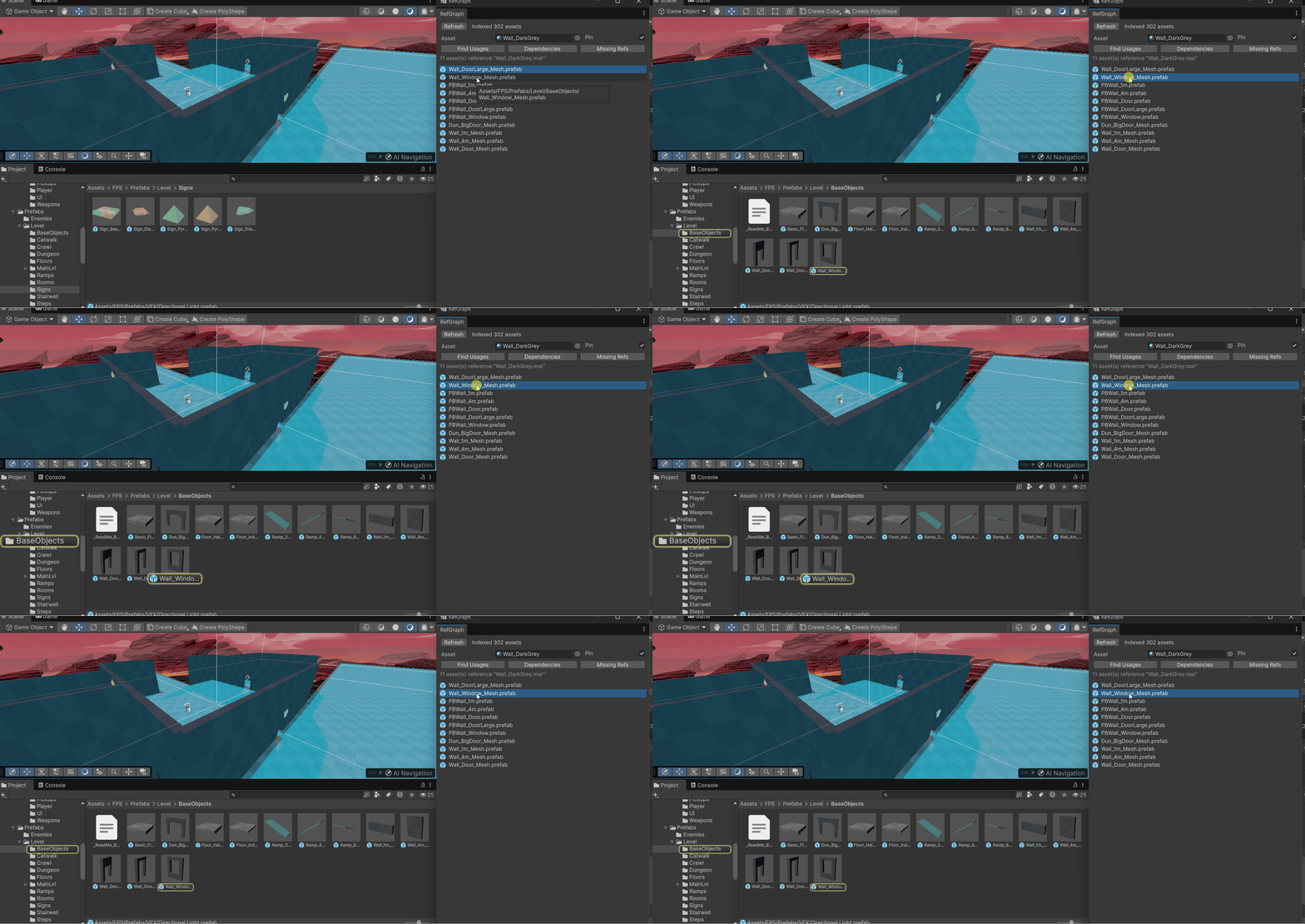
You can also type directly into the Asset field to search by name — click the field to open Unity's object picker.
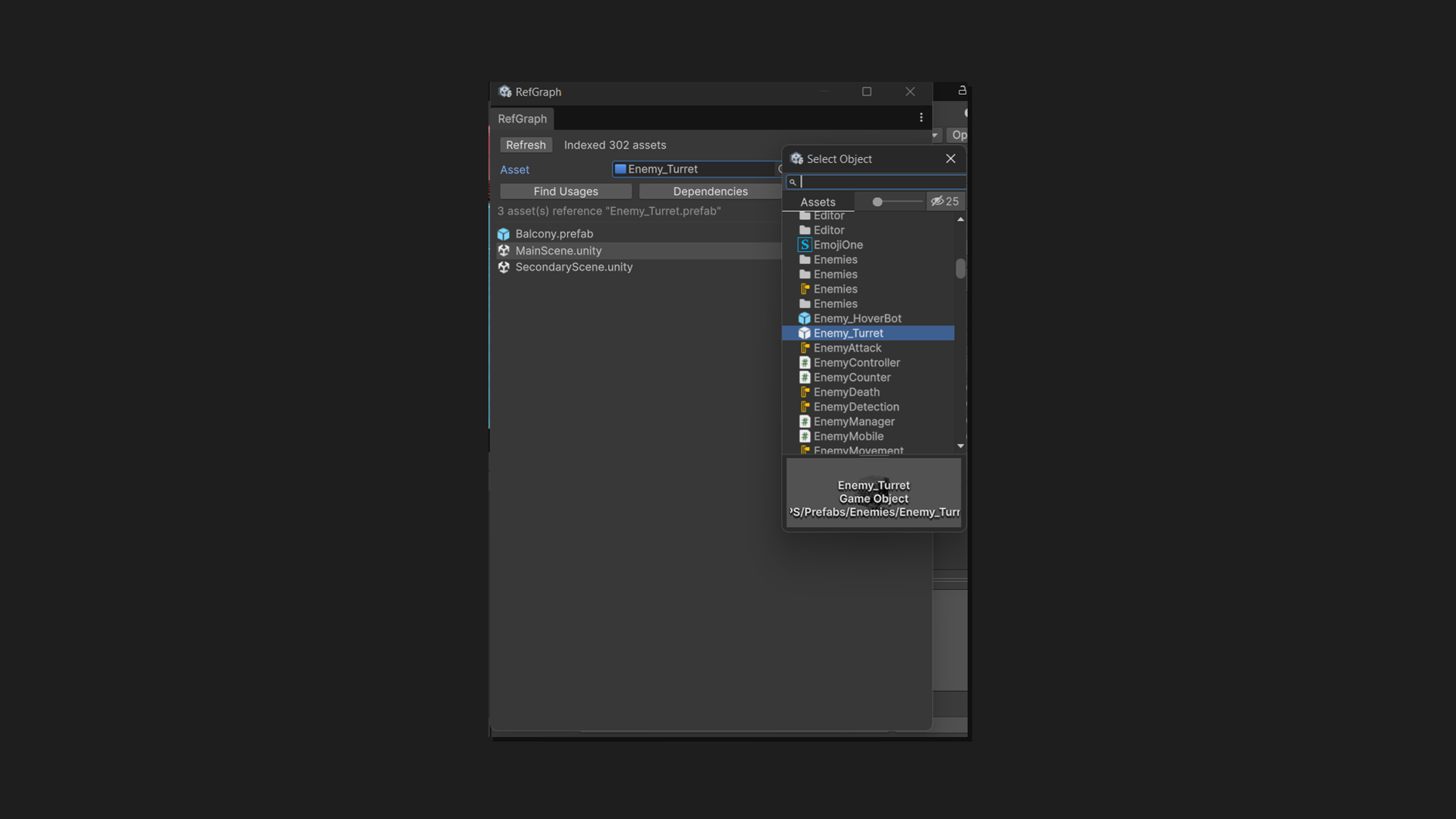
Enable Pin to lock the current asset in place. Clicking other assets in the Project window will not change the inspected asset while Pin is on.
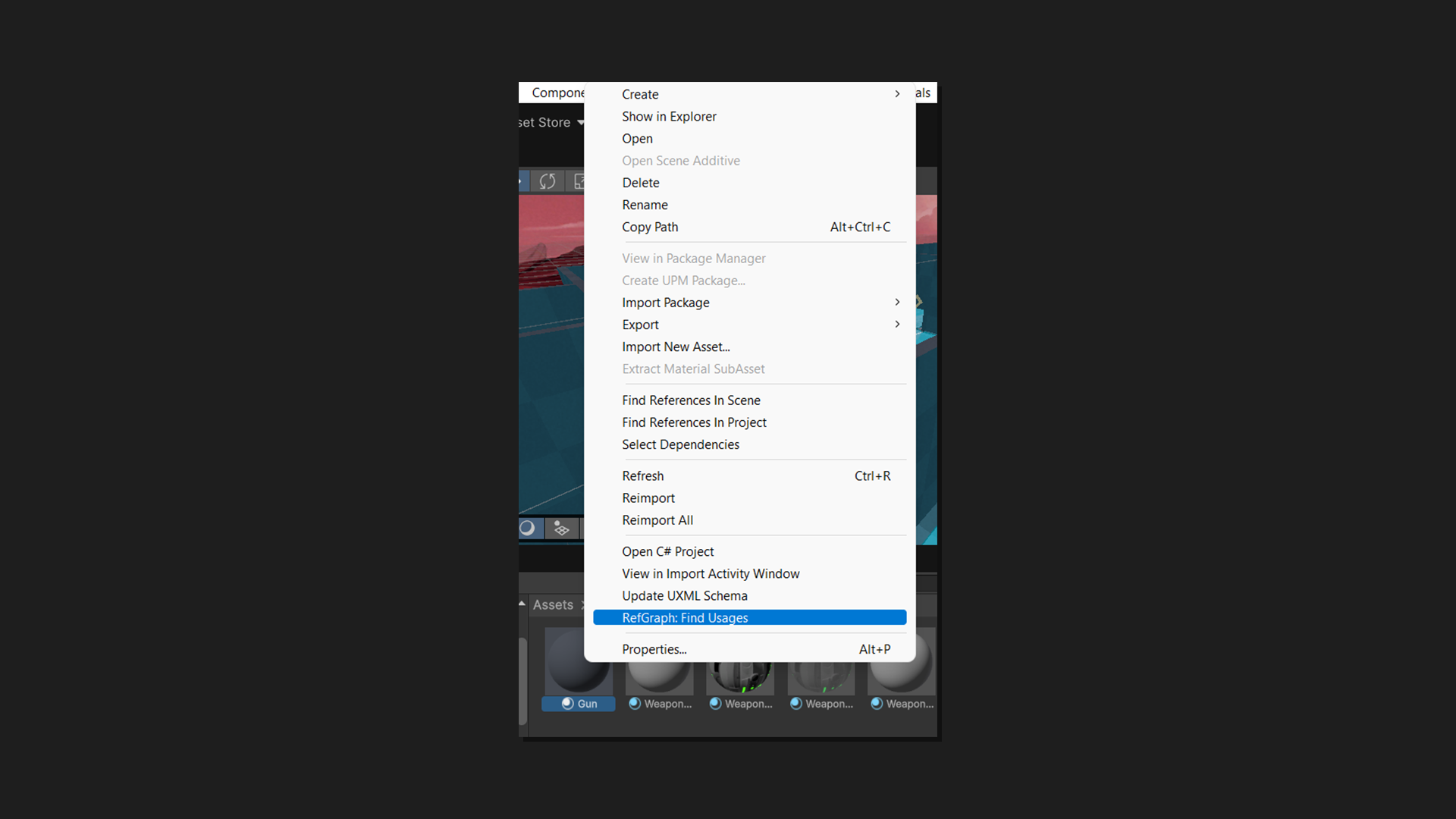
Right-click any asset in the Project window and choose RefGraph: Find Usages. This opens the RefGraph window (if not already open), pins the asset, and switches straight to the Find Usages tab.
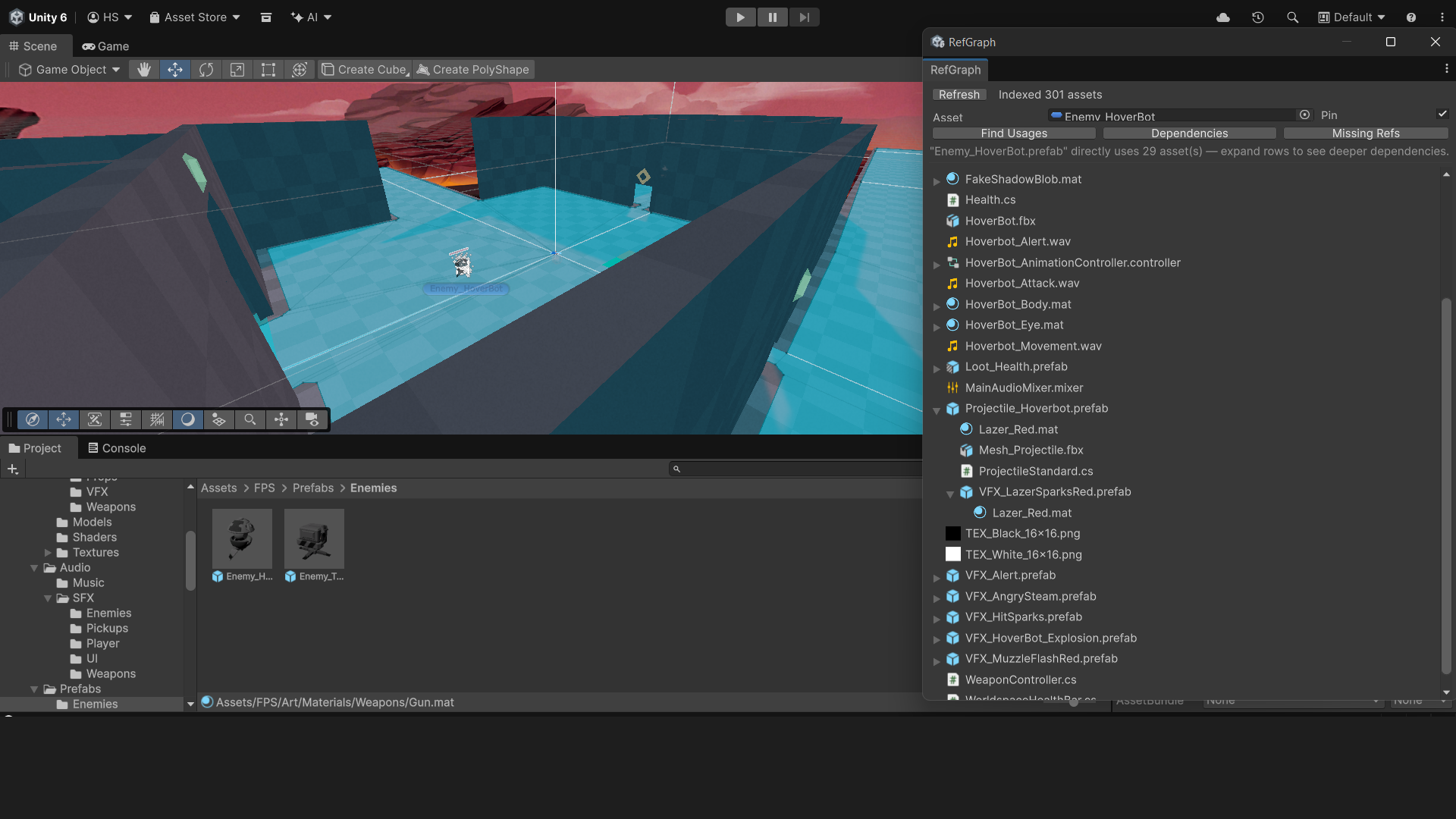
Shows what the selected asset references, as a lazily-expanding tree. Expanding a row reveals that asset's own dependencies, and so on. Circular references are shown as non-expandable leaves to prevent infinite nesting.
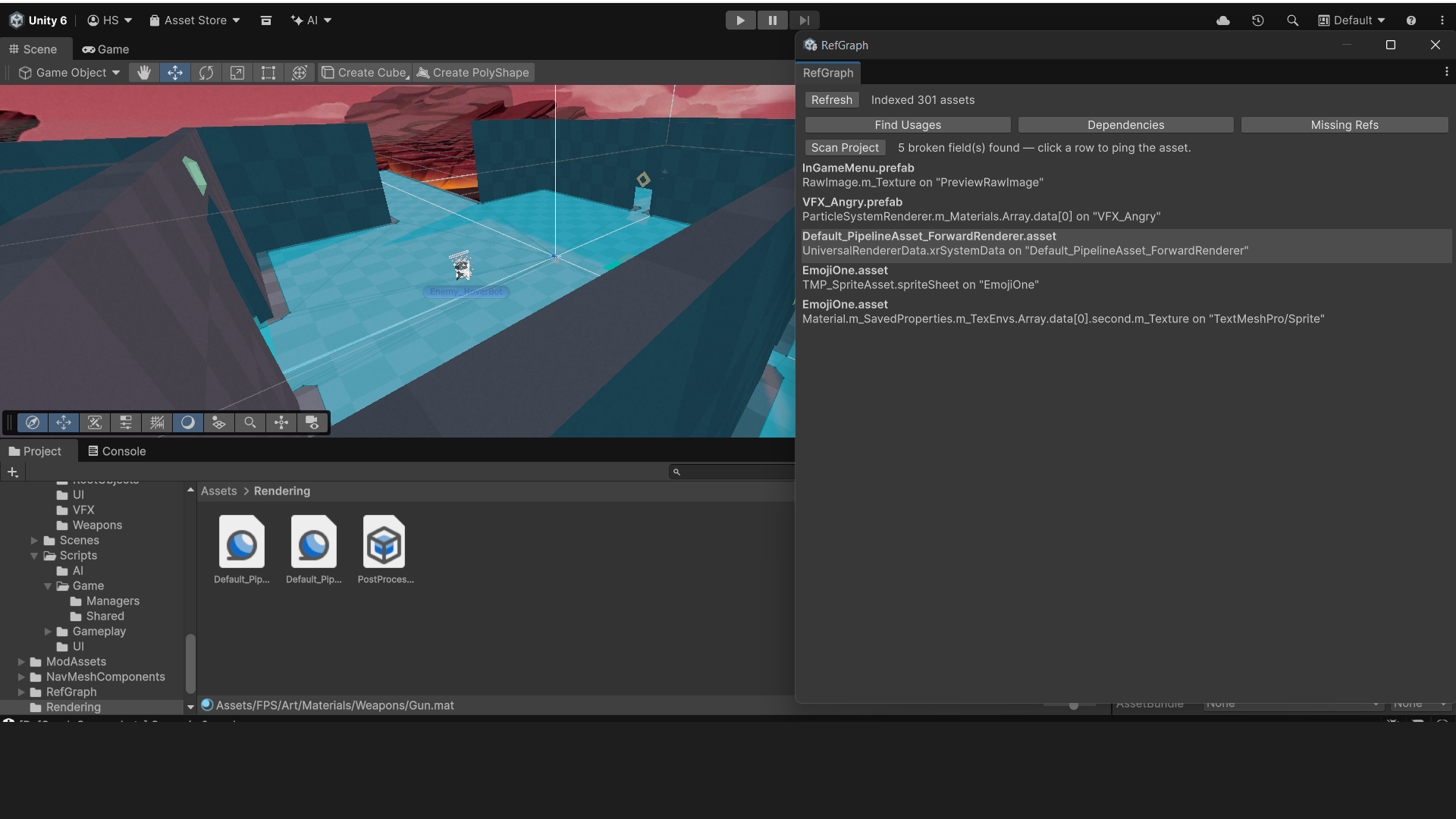
Finds serialized fields in your prefabs and assets that point to a deleted or missing asset. These are the "broken references" that appear as None (Object) in the Inspector even though they used to point to something.
Scan times stay low even in large projects — only flagged assets are fully loaded, not every asset in the project.
Assets/ folder (Packages/) are not scanned.| Requirement | Details |
|---|---|
| Unity version | 2022.2 or later (uses selectionChanged API) |
| Unity 6.5+ | Fully supported; uses objectReferenceEntityIdValue for correct missing-ref detection |
| Render pipeline | Any — RefGraph is render-pipeline agnostic |
| Platform | Editor-only; adds nothing to builds |
RefGraph stores its dependency cache at Library/RefGraph.index. This file is
auto-generated and can be safely deleted — RefGraph will rebuild it on the next Refresh.
Add it to .gitignore (like the rest of Library/) so team members
each build their own local cache.
No. The cache uses file timestamps — unchanged assets are skipped on the next Refresh. You only
need to press Refresh when you want the index to reflect recent additions, deletions, or moves.
A future version may auto-refresh on AssetDatabase post-processing callbacks.
Check the status label in the toolbar. If it says "Not indexed — press Refresh", click Refresh first. If it shows an asset count but Find Usages still shows nothing, the selected asset is genuinely not referenced by any other indexed asset.
The Missing Refs scan reads the current state of files on disk. If you fixed a reference but haven't saved the asset yet (Ctrl+S / File → Save Project), the file on disk is still broken. Save first, then scan again.
Not in v1. The dependency index and missing ref scan always cover the entire Assets/
folder. Folder-scoped scanning is planned for v2.
For bug reports and feature requests, use the Reviews & Questions tab on the Asset Store listing page, or email us at support@refgraph.app. We aim to respond within 48 hours.
When reporting a bug, please include your Unity version, a short description of the issue, and — for Missing Refs false positives — the asset type and component name where the false positive appears.